WordPress 6.9: What Changed in the Editor and Why Your Business Should Update
WordPress 6.9 introduced real-time collaborative editing, a command palette, and new blocks that cut plugin dependency. Here's what it means for your business website and how to upgrade safely.

WordPress remains the most widely used platform for building websites, and every major core update touches millions of projects — from landing pages to online stores. The final major release of 2025, version 6.9, shipped in December and has been receiving regular patches ever since: in the summer of 2026, version 6.9.6 arrived to close a batch of accumulated technical issues. For website owners in Uzbekistan, this is a good occasion to do more than click "update" by default — it's worth understanding exactly what changed and how to put it to use.
Previous major WordPress releases tended to focus separately on either the block editor or performance. Version 6.9 is the first to systematically bring together three directions at once: collaborative content work, a faster admin experience, and reduced reliance on third-party plugins. This isn't a cosmetic refresh — it changes how editors and developers work with a site day to day.
Real-time collaboration instead of chat threads
The headline new feature is called Notes — comments that can be attached directly to individual blocks on a page: a paragraph, an image, a button. Previously, feedback was discussed in messengers or email, disconnected from the page itself, which meant context got lost — a week later, nobody remembered which paragraph a note like "rephrase this" or "swap the photo" actually referred to.
Now an editor, a marketer, and a developer can leave comments inside the page itself, tied to a specific block, and resolve them as changes are made. For companies where several people touch the website — a content manager, a designer, a head of marketing — this noticeably cuts down on calls and email threads just to sign off on a single page.
A command palette speeds up routine work
The second notable addition is the Command Palette, triggered with Ctrl+K (or Cmd+K on macOS). It's a search bar that lets you jump straight to any page, setting, plugin, or action without digging through nested admin menus. The concept will feel familiar to anyone using modern code editors or tools like Notion — in WordPress 6.9 it now spans the entire interface, not just the block editor.
It sounds minor, but for a staff member who spends several hours a week in the admin panel, the time saved on navigation adds up to a meaningful amount over a month — especially on sites with the large page and section counts typical of corporate portals and catalogs.
Fewer plugins, fewer risks
Every additional plugin is not just a new feature — it's also a potential point of vulnerability and an extra dependency that needs updating and compatibility testing. Version 6.9 adds several blocks to the core that previously required third-party extensions: more flexible form blocks, improved handling of media galleries and tables, and refined patterns for common page sections.
For a business, this means being able to drop one or two secondary plugins without losing functionality — shrinking the attack surface and simplifying ongoing site maintenance. Given that the vast majority of WordPress security incidents trace back to vulnerabilities in plugins and themes rather than the core itself, this direction directly strengthens a site's resilience.
Performance: noticeable, not revolutionary
The WordPress team also reports a faster editor and admin panel, achieved by optimizing script loading and cutting the number of requests triggered when switching between blocks. In practice, the effect is most noticeable on content-heavy pages — dozens of blocks, galleries, and nested columns — where older editor versions used to lag visibly during scrolling and typing.
For an actual site visitor, these changes aren't always directly visible, since they mostly touch the admin side. But they have an indirect effect on the public side too: cleaner block markup means less bloat on the page, which translates into slightly faster load times and better scores in tools like PageSpeed Insights — signals that search engines increasingly factor into ranking.
What this means for business in Uzbekistan
WordPress remains one of the most common choices for small and mid-size business websites, company blogs, and information portals, including in Uzbekistan. The practical advice here is simple: don't postpone a core update until the gap between your version and the current one becomes critical.
Every skipped major version compounds risk in two ways. First, jumping across several releases at once raises the odds of plugin and theme conflicts — instead of a smooth transition, you end up fixing several incompatibilities simultaneously. Second, older versions eventually stop receiving security patches, which matters a great deal: in practice, it's precisely long-unpatched WordPress installations that become the first target of automated attacks scanning the internet for known vulnerabilities.
The impact of an update also varies by site type. For an online store, the updated form and gallery blocks speed up building product cards and reduce reliance on third-party storefront plugins. For a corporate site publishing frequent news and press releases, in-page collaborative notes save hours otherwise spent aligning a single text across several departments. For a content portal with multiple authors, the faster command palette noticeably cuts the time spent publishing and editing articles when new material goes out frequently.
Targeted update or a full site review
If a site has gone unupdated through two or three major releases in a row, it's worth doing more than a technical core update — a short audit makes sense: check which plugins the developer has long stopped supporting, whether the theme is still current, and whether unused functionality remains that only adds server load and potential attack surface. Sometimes it's cheaper and more reliable to move to the new version with a leaner set of extensions than to keep dragging along a dozen plugins, some of which haven't seen a developer update in a year.
A special case is sites running badly outdated PHP versions or custom themes built without regard for modern WordPress standards. For these projects, updating to 6.9 may first require putting the hosting environment in order: upgrading PHP to a supported version, checking database server settings, and confirming that backups actually work and restore correctly rather than existing only in theory.
How to upgrade safely
Updating a CMS core isn't something to do live and unprepared, especially if the site generates real leads or sales for the business. A sensible process looks like this:
- Make a full backup of the database and site files before any changes.
- Deploy a copy of the site to a staging environment and update that copy first.
- Check that installed plugins and the theme are compatible with the new core version — some plugins may need a separate update of their own.
- Test key user flows: submitting an inquiry, the contact form, and checkout if the site has an online store.
- Only after a successful staging check, roll the update out to the live site, ideally during a period of low traffic.
If a company doesn't have a dedicated person tracking CMS versions on an ongoing basis, it's worth assigning core and plugin updates to a specific person or contractor as a standing responsibility — rather than remembering about it once a year, after a problem has already appeared.
Bottom line
The WordPress 6.9 release changes less about how sites look and more about how people work with them day to day: in-page collaborative notes cut time lost to back-and-forth approvals, the command palette speeds up routine admin tasks, and the new built-in blocks make it possible to drop some plugins and reduce security risk in the process. For businesses in Uzbekistan running WordPress, this is a good reason to schedule a core update — through a staging environment, with a backup and a compatibility check — rather than waiting until the last moment, when an old version stops receiving security patches altogether.
Lead full-stack web developer and Bitrix24 service integrator at Red Button.
Related reading
 552
552The wp2shell WordPress vulnerability: why your business site needs a check right now
On July 17, 2026, WordPress patched the CVE-2026-60137 and CVE-2026-63030 vulnerability chain, which allows unauthenticated server takeover and is already being actively exploited. Here's how to check your site and build an update process you don't have to rely on luck for.
 540
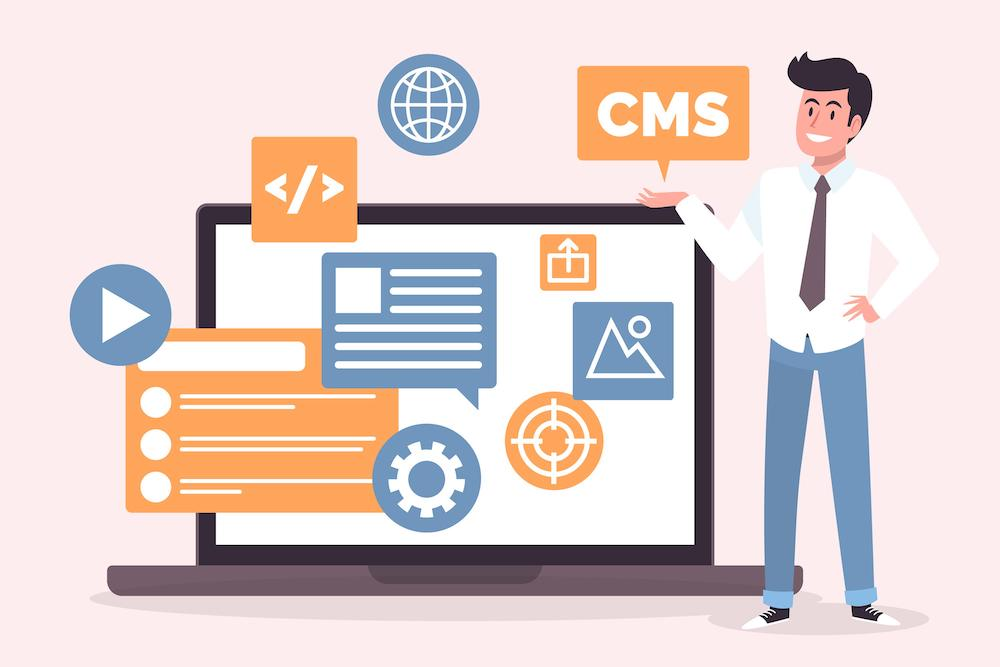
540CMS + AI: Content Management in the Age of AI Agents and Headless Architecture
The CMS market in 2025–2026 has split into three camps: traditional platforms, Headless API-first solutions, and SaaS with native AI. We explore how AI is changing content creation, translation, and delivery, what the MCP protocol means for CMS, and how to choose the right platform — from a corporate site to a multilingual e-commerce store.
Tell us about your task — we'll propose a solution
Free consultation: we'll analyze processes, select a license and estimate implementation for your business.